
Fostoria Arrests and Busted Records
Fostoria Police Department handles the municipal arrest report for incidents inside the city. That paper is not always where the booking photo ends up. Once an adult enters Hancock County custody, the Sheriff's Office runs booking at the Hancock County Justice Center. The person's detail record may list Fostoria Police as the booking origin and the Justice Center as the facility. Those fields beat guesswork built on a city name.
Geography matters here. The Hancock County slice of Fostoria is what this search covers. Fostoria also reaches into Seneca and Wood counties. So a result can point to a different jail, agency, or court entirely. Check the booking origin, arresting agency, court, booking date, and facility on each result. A public booking entry may show a photo, charges as booked, bond, and a court date. That first entry rarely ends the story, though. Charges change, get reduced, or get dropped.
Where Fostoria Busted Mugshots Appear
Fostoria Police posts no public daily arrest log, blotter, or city mugshot roster on its official pages. For a Hancock County booking, the photo-bearing source is the Hancock County Inmate Inquiry. Keep that portal separate from records requests, court files, and news coverage. Officials come first for a reason. They confirm the agency, the date, the custody status, and the court named on an entry faster than anything else.
| Channel | Photo or record | Status | Best use |
|---|---|---|---|
| Fostoria Police Department | Police arrest report by request; no public photo roster located | Official | Confirm the city police report and incident details. |
| Hancock County Inmate Inquiry | Public booking-photo result and booking detail fields | Official | Check current custody or a historical Hancock booking. |
| HCSO Records | Requested booking record or photo when available | Official | Use when the portal result is unavailable or needs confirmation. |
| Hancock County eServices and the court shown | Case docket and later disposition, not a photo source | Official | Follow the booking record’s court and docket information. |
| Fostoria Free Press, Hometown Stations, and The Courier | Selected stories or booking summaries | Secondary | Use as event context, then verify through HCSO and the court. |
| County aggregator pages | Unofficial entries that may retain images or older details | Secondary | Do not treat as a complete or current Hancock custody record. |
Still held at the Justice Center? Use the current-custody filter on the official portal. Released already? Run the same search without that restriction, using a date range, booking number, subject number, or name. The county sets no fixed posting schedule. It makes no promise that older entries stay online. A missing result can mean a narrow search, a correction, a restriction, or a redesigned interface. It does not mean the booking never happened.
Fostoria Booking Lookup Order
Anchor the search in the Hancock County connection and use the county form itself rather than a search-engine hit or a copied entry. The portal accepts a name, subject number, booking number, booking-from and booking-to dates, current-custody status, and the Justice Center facility. When you have a specific number, use it. Numbers identify people better than names do. The Hancock County booking and roster reference walks through the county-wide roster and date-range approach in fuller detail.
- Open the official Inmate Inquiry and search a name or identifying number.
- Set a booking date range when the arrest date is known, and select current custody only when checking who is jailed now.
- Open the individual detail result. Match the booking origin, arresting agency, booking date, photo timestamp, and Justice Center facility.
- For a released person, remove the current-custody restriction and run a historical date-range search.
- Use the court and docket fields from the booking result to locate the case record and later disposition.
A detail page splits the city side of an arrest from county custody. Useful fields can include booking number and date, photo timestamps, bond or bail entries, court date, court, charges, arresting agency, booking origin, and disposition labels. Write down your search date too. A disposition label in the portal helps steer the lookup. Read it beside the applicable court docket before treating it as the final word on a case.
| Record field | Why it matters for Fostoria |
|---|---|
| Booking origin | Can identify Fostoria Police even when the record is held in county custody. |
| Facility and custody status | Shows whether the result is a Justice Center booking and whether the person is currently jailed. |
| Booking number and date | Useful identifiers for a records request or a historical repeat search. |
| Court and docket number | Direct the reader to the court that controls the case record. |
Fostoria Police Record Requests
Go to Fostoria Police Department for the police arrest report, not for a booking photo the county likely holds. The city's public-record information sets no fixed processing time for requests. How long it takes can hinge on how much material is involved and whether an ongoing investigation forces the assigned officer to weigh in first. The FAQ's accident-report example cites two to five days or longer. That figure is an example, though. It is not a published promise for arrest reports.
Fostoria Police Department
213 South Main Street
Fostoria, OH 44830
Phone: 419-435-8573
Fax: 419-435-9754
Chief: Gabriel Wedge
HCSO Records and Justice Center
200 W Crawford Street
Findlay, OH 45840
Records: 419-424-7251
Jail: 419-424-7202
Ask for the Hancock County booking record or photo.
Give the receiving office the person's name, the date, and the Hancock County tie. Be specific about the report you want. Booking photos are different. Send those to HCSO Records, which posts request instructions and portal alternatives. The city lists no fee for Fostoria booking photos and no arrest-photo policy. So assume nothing about cost or turnaround.
Note: If an incident began in Fostoria but another county handled the booking, ask that agency which record it holds.
Fostoria Busted Booking Timing
No one promises same-minute posting for Fostoria bookings. Corrections staff at the Justice Center handle each arrival by hand: prints, a photo, a search, paperwork. Only after that work is entered can the roster show a photo timestamp. The lag between a walk-in and an online mugshot shifts case by case. Think of a steady drip, not a live feed.
The HCSO Corrections page names the Justice Center as the county's booking site. A current-custody search works while someone is still held. It won't act as a fresh-booking ticker. Widen the net instead. Drop the custody filter and search by booking date. The county posts no batch time, no fixed archive window, and no RSS arrest log. Fostoria's city pages offer no daily arrest log either.
Note: Note your filters and result dates, since a release or update can change the current-custody view.
Fostoria News and Busted Claims
News stories explain why a Fostoria arrest made headlines. But they pick and choose. The Fostoria Free Press Findlay-mugshots category occasionally posts booking photos or short summaries. Its wider crime category sometimes covers Fostoria too. One caution applies. Some Free Press items carry an AI-generated label, so treat dates, agency names, and counties there as leads, not settled fact. Official booking records come from the jail.
Two more outlets add context. Hometown Stations’ Hancock County coverage and The Courier’s public-record section both offer arrest details at times, though neither tracks every booking. The Courier says its public-record items come from Findlay Police and the HCSO. That's exactly why a Fostoria case needs its agency fields checked against the sheriff's portal, not a headline.
The screenshot below comes from the official Fostoria Police Department page. Start city police report requests there.
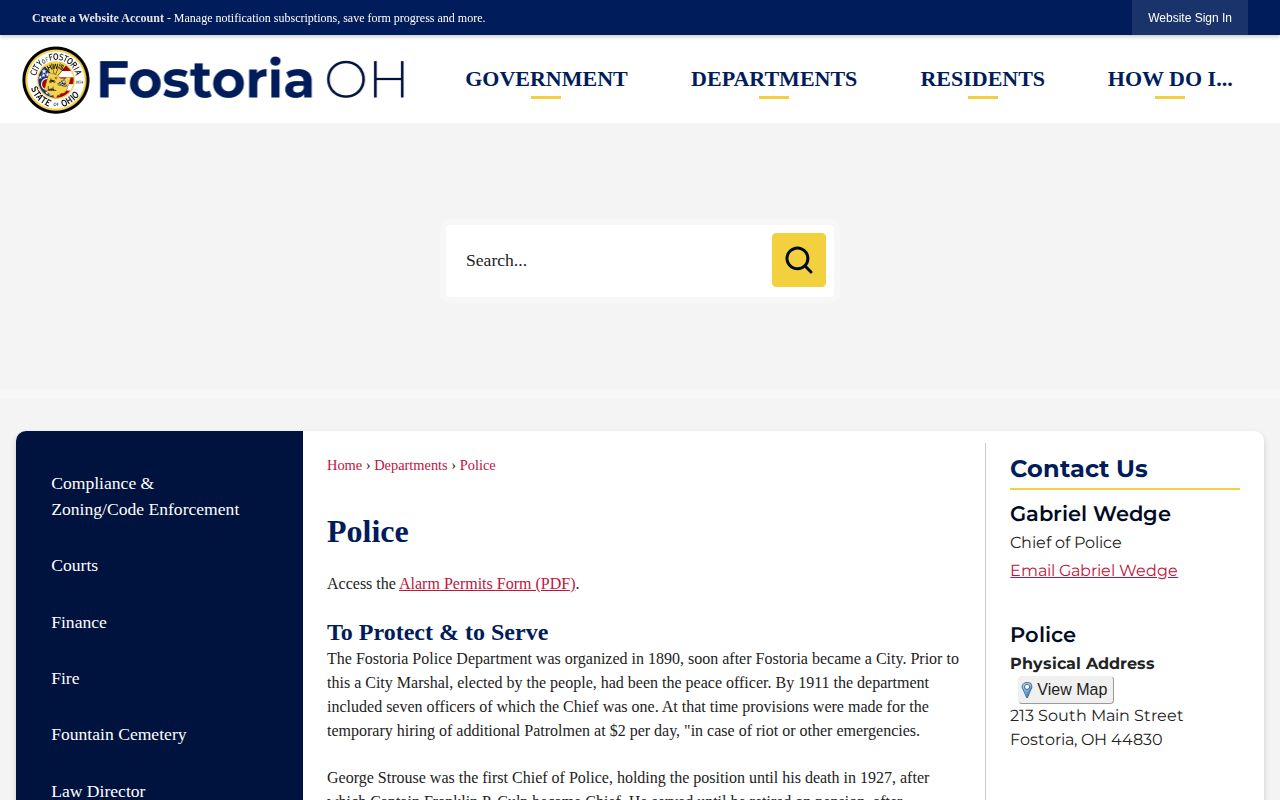
City police keep their own contact line, but the county portal is where official Hancock booking photographs and custody details live. Plenty of third-party sites repost that same material, usually without much care. You may spot Fostoria entries on Busted Newspaper, RecentlyBooked, Mugshots.com, Arrests.org, and Mugshots.zone. Treat them with caution. These copied rosters can lag behind, skip names entirely, or even mix in records from a different county that shares the name. For a fuller picture, Hancock County Arrest News pulls together local media coverage of arrests alongside these other sources.
Fostoria Court Records After Booking
A booking record is only the first page of the trail. Pull the court name and docket number from the official detail result, then pick your next source accordingly. allows public case searches by name, case number, case type, attorney, and ticket or citation info for the case types it covers. It's the right tool once a booking points toward a county court file.
Don't assume every Fostoria result belongs in the Findlay court path. The portal may point instead to Fostoria Municipal Court, and whatever court appears on that record decides where you continue. That distinction matters most in a city straddling county lines, and for nearby township matters whose jurisdiction shifts over time. One limit: juvenile cases stay out of the county eServices system, and sealed or restricted files may never surface there.